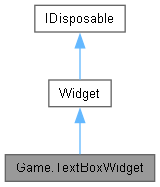
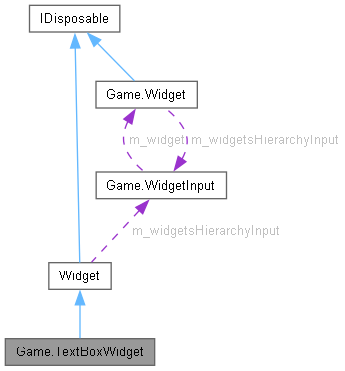
类 | |
| class | TextDrawItem |
Public 成员函数 | |
| void | EnterCharacter (char value, int position=-1, bool moveCaret=true) |
| void | DeleteSelection (bool invokeTextChanged=true) |
| void | EnterText (string value) |
| void | EnterText (string value, int index) |
| void | BackSpace (char? character=null, int count=1, bool moveCaret=true) |
| void | Delete (char? character=null, int count=1) |
| override void | UpdateCeases () |
| override void | Update () |
| override void | Overdraw (DrawContext dc) |
| override void | Draw (DrawContext dc) |
| override void | MeasureOverride (Vector2 parentAvailableSize) |
 Public 成员函数 继承自 Game.Widget Public 成员函数 继承自 Game.Widget | |
| Widget () | |
| void | LoadContents (object eventsTarget, XElement node) |
| void | LoadProperties (object eventsTarget, XElement node) |
| void | LoadChildren (object eventsTarget, XElement node) |
| bool | IsChildWidgetOf (ContainerWidget containerWidget) |
| virtual void | ChangeParent (ContainerWidget parentWidget) |
| void | Measure (Vector2 parentAvailableSize) |
| void | Arrange (Vector2 position, Vector2 parentActualSize) |
| virtual void | ArrangeOverride () |
| virtual bool | HitTest (Vector2 point) |
| Widget | HitTestGlobal (Vector2 point, Func< Widget, bool > predicate=null) |
| Vector2 | ScreenToWidget (Vector2 p) |
| Vector2 | WidgetToScreen (Vector2 p) |
| virtual void | Dispose () |
| BoundingRectangle | TransformBoundsToParent (Vector2 size) |
| BoundingRectangle | TransformBoundsToGlobal (Vector2 size) |
静态 Public 成员函数 | |
| static string[] | SplitStringAt (string str, int splitPosition) |
| static void | ShowInputMethod () |
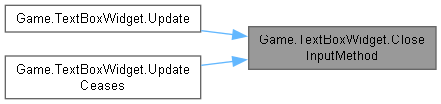
| static void | CloseInputMethod () |
| 静态 Public 成员函数 继承自 Game.Widget | |
| static Widget | LoadWidget (object eventsTarget, XElement node, ContainerWidget parentWidget) |
| static bool | TestOverlap (Widget w1, Widget w2) |
| static bool | IsNodeIncludedOnCurrentPlatform (XElement node) |
| static void | UpdateWidgetsHierarchy (Widget rootWidget) |
| static void | LayoutWidgetsHierarchy (Widget rootWidget, Vector2 availableSize) |
| static void | DrawWidgetsHierarchy (Widget rootWidget) |
| static Type | FindTypeFromXmlName (string name, string namespaceName) |
| static Widget | HitTestGlobal (Widget widget, Vector2 point, Func< Widget, bool > predicate) |
| static void | UpdateWidgetsHierarchy (Widget widget, ref bool isMouseCursorVisible) |
Public 属性 | |
| bool | JustOpened |
| bool | MoveNextFlag |
| float | m_scroll |
| int | m_caretPosition |
| bool | m_hasFocus |
| Vector2? | m_size |
| float | m_focusStartTime = 0 |
| string | m_text = "" |
| int | m_maximumLength = 512 |
| Vector2 | m_sizeValue |
| Public 属性 继承自 Game.Widget | |
| Action< Vector2 > | MeasureOverride1 |
| Action | Update1 |
| bool | m_isVisible |
| bool | m_isEnabled |
| Vector2 | m_actualSize |
| Vector2 | m_desiredSize |
| Vector2 | m_parentDesiredSize |
| BoundingRectangle | m_globalBounds |
| Vector2 | m_parentOffset |
| bool | m_isLayoutTransformIdentity = true |
| bool | m_isRenderTransformIdentity = true |
| Matrix | m_layoutTransform = Matrix.Identity |
| Matrix | m_renderTransform = Matrix.Identity |
| Matrix | m_globalTransform = Matrix.Identity |
| Matrix? | m_invertedGlobalTransform |
| float? | m_globalScale |
| Color | m_colorTransform = Color.White |
| Color | m_globalColorTransform |
| WidgetInput | m_widgetsHierarchyInput |
静态 Public 属性 | |
| static string[] | CharacterKindsMap |
| 静态 Public 属性 继承自 Game.Widget | |
| static Queue< DrawContext > | m_drawContextsCache = new() |
| static int | LayersLimit = -1 |
| static bool | DrawWidgetBounds = false |
属性 | |
| string | Description [get, set] |
| string | Title [get, set] |
| int | CaretPosition [get, set] |
| string | SelectionString [get] |
| string | FullText [get] |
| string | Text [get, set] |
| string | CompositionText [get, set] |
| int | CompositionTextCaret [get, set] |
| int | Caret [get, set] |
| int | SelectionLength [get, set] |
| bool | SelectionStarted [get, set] |
| bool | ScrollStarted [get, set] |
| static TextBoxWidget | FocusedTextBox [get, set] |
| double | FocusStartTime [get, set] |
| bool | HasFocus [get, set] |
| double | DragStartTime = -1 [get, set] |
| Vector2? | LastDragPosition [get, set] |
| bool | DragStartedInsideTextBox [get, set] |
| static bool | ShowCandidatesWindow = true [get, set] |
| bool | IndentAsSpace = true [get, set] |
| int | IndentWidth = 4 [get, set] |
| int | MaximumLength [get, set] |
| bool | PasswordMode [get, set] |
| bool | OverwriteMode [get, set] |
| bool | SwitchTextBoxWhenTabbed = true [get, set] |
| Color | Color = Color.White [get, set] |
| float | Scroll [get, set] |
| Color | OutlineColor = Color.White [get, set] |
| Color | CandidateSelectionColor = Color.Red [get, set] |
| Color | CandidateTextColor = Color.White [get, set] |
| bool | AutoSize = true [get, set] |
| Vector2 | Size [get, set] |
| Vector2 | FontSpacing [get, set] |
| float | FontScale = 1 [get, set] |
| bool | TextureLinearFilter = true [get, set] |
| Vector2 | CandidateListOffset = new(0, 16) [get, set] |
| float | CandidatesSpacing = 4 [get, set] |
| BitmapFont | Font = ContentManager.Get<BitmapFont>("Fonts/Pericles") [get, set] |
| float | CandidateWindowLength = 80 [get, set] |
| Color | CandidateWindowColor = Color.DarkGray [get, set] |
| static bool | InputMethodEnabled [get, set] |
| static string[] | CandidatesList [get] |
| static int | CandidatesSelection [get] |
| static int | CandidatesPageSize [get] |
| float | TextCaretPosition [get] |
| float | FullTextCaretPosition [get] |
| 属性 继承自 Game.Widget | |
| WidgetInput | WidgetsHierarchyInput [get, set] |
| WidgetInput | Input [get] |
| Matrix | LayoutTransform [get, set] |
| Matrix | RenderTransform [get, set] |
| Matrix | GlobalTransform [get] |
| float | GlobalScale [get] |
| Matrix | InvertedGlobalTransform [get] |
| BoundingRectangle | GlobalBounds [get] |
| Color | ColorTransform [get, set] |
| Color | GlobalColorTransform [get] |
| virtual string | Name [get, set] |
| object | Tag [get, set] |
| virtual bool | IsVisible [get, set] |
| virtual bool | IsEnabled [get, set] |
| virtual bool | IsHitTestVisible [get, set] |
| bool | IsVisibleGlobal [get] |
| bool | IsEnabledGlobal [get] |
| bool | ClampToBounds [get, set] |
| virtual Vector2 | Margin [get, set] |
| virtual WidgetAlignment | HorizontalAlignment [get, set] |
| virtual WidgetAlignment | VerticalAlignment [get, set] |
| Vector2 | ActualSize [get] |
| Vector2 | DesiredSize [get, set] |
| Vector2 | ParentDesiredSize [get] |
| bool | IsUpdateEnabled = true [get, set] |
| bool | IsDrawEnabled = true [get, set] |
| bool | IsDrawRequired [get, set] |
| bool | IsOverdrawRequired [get, set] |
| XElement | Style [set] |
| ContainerWidget | ParentWidget [get, set] |
| Widget | RootWidget [get] |
事件 | |
| Action< TextBoxWidget > | FocusLost |
| Action< TextBoxWidget > | OnFocus |
| Action< TextBoxWidget > | Enter |
| Action< TextBoxWidget > | Escape |
| Action< TextBoxWidget > | TextChanged |
静态 Private 成员函数 | |
| static | TextBoxWidget () |
| static void | SetCursorPosition (TextBoxWidget widget) |
详细描述
Survivalcraft Api 所添加的文本框 (支持 Windows IME 输入法, Android IME 适配待开发)。
A text box widget that added by Survivalcraft Api (Support Windows IME, and Android IME support is pending development).
构造及析构函数说明
◆ TextBoxWidget()
|
staticprivate |
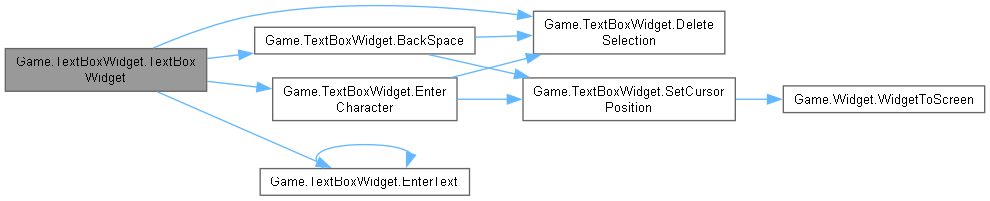
成员函数说明
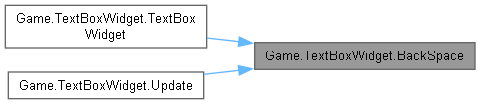
◆ BackSpace()
| void Game.TextBoxWidget.BackSpace | ( | char? | character = null, |
| int | count = 1, | ||
| bool | moveCaret = true ) |
向左删除字符。
Delete the character on the left of the caret.
- 参数
-
character 删除的字符,可为 null (为 null 则匹配所有字符)。 Character to delete, can be null (if null then match all characters). count 删除字符的数量 为 -1 则表示删除所有匹配字符 Number of characters to delete, if -1 then delete all matching characters. moveCaret 是否移动光标。 Whether to move the caret.

◆ CloseInputMethod()
|
static |
◆ Delete()
| void Game.TextBoxWidget.Delete | ( | char? | character = null, |
| int | count = 1 ) |
向右删除字符。
Delete character on the right of the caret.
- 参数
-
character 删除的字符,可为 null (为 null 则匹配所有字符)。 Character to delete, can be null (if null then match all characters). count 删除字符的数量 为 -1 则表示删除所有匹配字符. Number of characters to delete, if -1 then delete all matching characters.


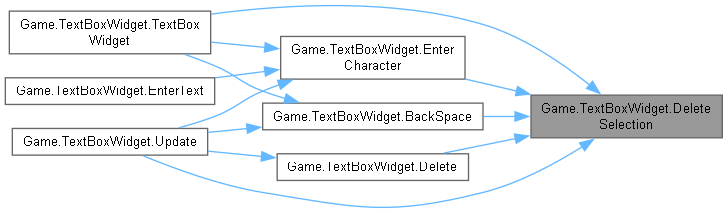
◆ DeleteSelection()
| void Game.TextBoxWidget.DeleteSelection | ( | bool | invokeTextChanged = true | ) |
删除选中的字符。
Delete selected text.
- 参数
-
invokeTextChanged 如果为 true,调用 TextChanged 事件。 If true, invoke TextChanged event.
◆ Draw()
|
virtual |

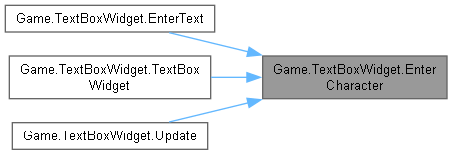
◆ EnterCharacter()
| void Game.TextBoxWidget.EnterCharacter | ( | char | value, |
| int | position = -1, | ||
| bool | moveCaret = true ) |
插入字符。
Enter character.
- 参数
-
value 插入的字符。 Character to enter. position 插入的位置,默认为 -1 (-1 表示插入到光标位置)。 Position to enter, default is -1 (-1 means insert at caret position) moveCaret 是否移动光标。 Whether to move caret.

◆ EnterText() [1/2]
| void Game.TextBoxWidget.EnterText | ( | string | value | ) |
在光标后插入字符串。
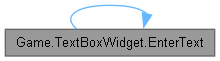
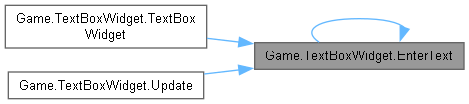
◆ EnterText() [2/2]
| void Game.TextBoxWidget.EnterText | ( | string | value, |
| int | index ) |
在指定位置插入字符串。
Insert string at specified position.

◆ MeasureOverride()
|
virtual |
重载 Game.Widget .
◆ Overdraw()
|
virtual |
重载 Game.Widget .
◆ SetCursorPosition()
|
staticprivate |

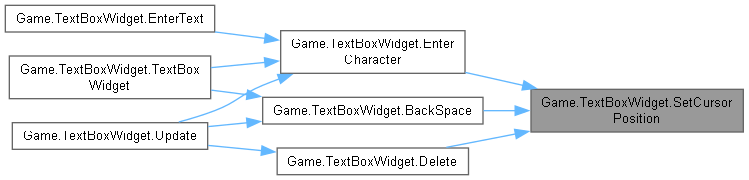
◆ ShowInputMethod()
|
static |
显示 Windows 系统输入法

◆ SplitStringAt()
|
static |

◆ Update()
|
virtual |
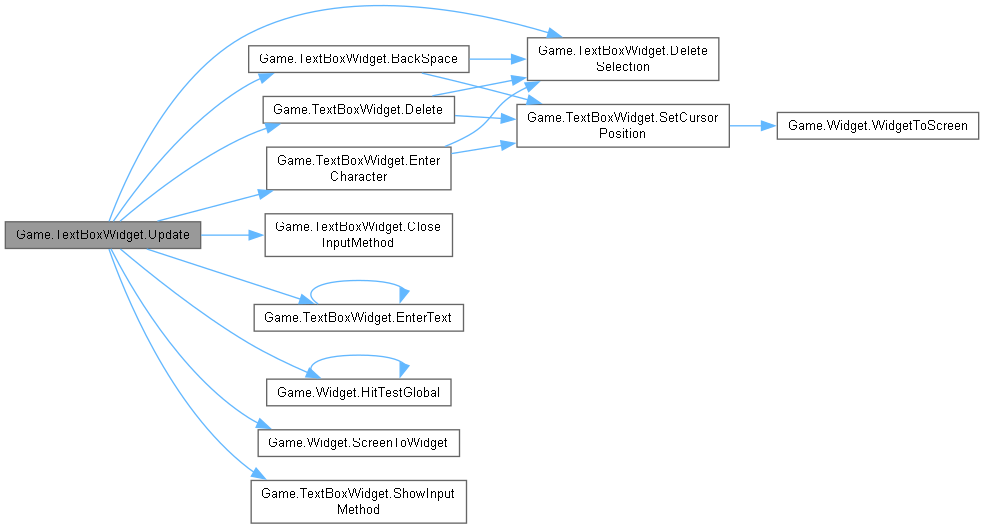
◆ UpdateCeases()
|
virtual |

类成员变量说明
◆ CharacterKindsMap
|
static |
◆ JustOpened
| bool Game.TextBoxWidget.JustOpened |
已弃用。
Deprecated.
◆ m_caretPosition
| int Game.TextBoxWidget.m_caretPosition |
旧版文本框的光标位置,现版本不再使用。
Old caret position, now is deprecated.
◆ m_focusStartTime
| float Game.TextBoxWidget.m_focusStartTime = 0 |
等效于 FocusStartTime, 现版本不再使用,请用 FocusStartTime 替代。
Is the same as FocusStartTime, now is deprecated, use FocusStartTime instead.
◆ m_hasFocus
| bool Game.TextBoxWidget.m_hasFocus |
LegacyTextBoxWidget.HasFocus 的后台字段,现版本不再使用,请用 HasFocus 替代。
The backend field of LegacyTextBoxWidget.HasFocus, now is deprecated, use HasFocus instead.
◆ m_maximumLength
| int Game.TextBoxWidget.m_maximumLength = 512 |
MaximumLength 的后台字段, 不推荐直接使用此值,请使用 MaximumLength。
The backend field of MaximumLength, This is not safe to use this field directly, use MaximumLength instead
◆ m_scroll
| float Game.TextBoxWidget.m_scroll |
◆ m_size
| Vector2? Game.TextBoxWidget.m_size |
LegacyTextBoxWidget.Size 的后台字段,现版本不再使用。
The backend field of old LegacyTextBoxWidget.Size, now is deprecated.
◆ m_sizeValue
◆ m_text
| string Game.TextBoxWidget.m_text = "" |
◆ MoveNextFlag
| bool Game.TextBoxWidget.MoveNextFlag |
属性说明
◆ AutoSize
|
getset |
如果为 true 则每帧都会由 MeasureOverride 自动确定 Size 的值。
If true, the size will be set by MeasureOverride every frame.
◆ CandidateListOffset
|
getset |
候选窗位置偏移量, 原点为光标延长线与文本框下边缘的交点。
Position offset of the candidate list, zero means the intersection point of the bottom outline and the extended line of caret.
◆ CandidateSelectionColor
|
getset |
候选窗选中项颜色。
Candidate window selected item color.
◆ CandidatesList
|
staticget |
所有候选词。 请结合 CandidatesSelection 和 CandidatesPageSize 以获取当前候选词页的候选词。
All candidates. Please get current candidates page's candidates with CandidatesSelection and CandidatesPageSize.
◆ CandidatesPageSize
|
staticget |
候选窗中当前候选词页大小。
Size of current selected candidates page.
◆ CandidatesSelection
|
staticget |
候选窗中当前选中的词。
Current selected candidate.
◆ CandidatesSpacing
|
getset |
候选词之间的间距。
Candidates spacing.
◆ CandidateTextColor
|
getset |
候选窗文本颜色。
Candidate window text color.
◆ CandidateWindowColor
|
getset |
候选窗背景颜色。
Candidate window background color.
◆ CandidateWindowLength
|
getset |
候选窗显示的长度。
The length of the candidates window.
◆ Caret
|
getset |
◆ CaretPosition
|
getset |
LegacyTextBoxWidget 里的旧版 Caret 属性,现版本不再使用。
Old property of Caret in LegacyTextBoxWidget, now is deprecated.
◆ Color
|
getset |
◆ CompositionText
|
getset |
输入法 “组合窗” 的文本, 可能为 null。
仅在 Windows 平台下可用(Android 平台始终为null)。
IME composition text, may be null. /para>
Windows only (Always null on Android).
◆ CompositionTextCaret
|
getset |
“组合窗” 中光标的位置,可被视为 CompositionText 的索引, 等效于 Caret,但是对应的字符串从 Text 变为了 CompositionText, 若需要使用相对于 FullText 的光标(字符索引),请将此值与 Caret 相加。
仅在 Windows 平台下可用(Android 平台始终为 0)。
IME composition text caret position, can be considered as the index of CompositionText, Is the same as Caret, but replaces Text to CompositionText, To get the index to FullText, add this value and Caret.
Windows only.
◆ Description
|
getset |
Android 文本框的 Description。
This is the description of android text box.
◆ DragStartedInsideTextBox
|
getset |
拖拽开始时是否位于文本框内。
Whether the drag started inside the text box.
◆ DragStartTime
|
getset |
Drag 操作开始时 Time.RealTime 的值。
Value of Time.RealTime when drag started.
◆ FocusedTextBox
|
staticgetset |
当前获得焦点的文本框。
The focused text box.
◆ FocusStartTime
|
getset |
◆ Font
|
getset |
输入框字体。
Text box font.
◆ FontScale
|
getset |
字体缩放。
Font scale.
◆ FontSpacing
|
getset |
字体间距。
Font spacing.
◆ FullText
|
get |
文本框里包括 Text 和 CompositionText 的完整文本。
The full text of this text box, including CompositionText and Text.
◆ FullTextCaretPosition
|
get |
文本光标(包括 CompositionText)相对于 Widget 的显示位置。
Position of text caret (including CompositionText) relative to widget.
◆ HasFocus
|
getset |
当前文本框是否获得焦点。
Whether this text box has focus.
◆ IndentAsSpace
|
getset |
是否把输入的制表符替换为空格 (不会影响已经输入过的制表符)。
注意:此属性和 SwitchTextBoxWhenTabbed 冲突,二者不能同时为 true,否则只有一个生效。
Whether replace indent with spaces when typing (doesn't change the already inputted).
NOTICE: This property conflicts with SwitchTextBoxWhenTabbed, they cannot be set to true at the same time, otherwise only one will take effect.
◆ IndentWidth
|
getset |
当 IndentAsSpace 为 true 时,输入的制表符会被替换为空格,空格数量由 IndentWidth 决定。
在绘制时,制表符会被视为这个数量的空格。
When IndentAsSpace is true, inputted indents will be replaced with this number of spaces.
When drawing, indents will be considered as this number of spaces.
◆ InputMethodEnabled
|
staticgetset |
是否启用输入法。
Whether to enable input method.
◆ LastDragPosition
|
getset |
上一次 Update 方法被执行时 WidgetInput.Drag 的值。
◆ MaximumLength
|
getset |
文本长度限制,设置此属性时会截断超过长度的文本,不可小于 0,若需要设置为无限,请使用 int.MaxValue。
Maximum length of text, the text will be cut when it is longer than this value, the value cannot be less than 0, to set it to infinite, please use int.MaxValue.
◆ OutlineColor
|
getset |
文本框轮廓颜色。
Text box outline color.
◆ OverwriteMode
|
getset |
为 true 时,文本框中输入的字符将覆盖已有文本。
When true, characters inputted will overwrite existing text.
◆ PasswordMode
|
getset |
密码模式,开启后所有文本都会被显示为 *(组合窗除外)。
Password mode, all text but composition text ill be drawn as "*".
◆ Scroll
|
getset |
◆ ScrollStarted
|
getset |
是否正在滚动。(注意:仅指 Drag 引发的滚动)
Whether the text is scrolling.(NOTICE: Only means drag scroll)
◆ SelectionLength
|
getset |
当前选中的文本长度,为 0 则表示不选择任何文本,可以小于 0.
The length of the selected text, 0 means no text is selected, can be less than 0.
◆ SelectionStarted
|
getset |
是否选中文本。
Whether the text is selected.
◆ SelectionString
|
get |
选中的字符,当 SelectionLength 为 0 时返回 null。
◆ ShowCandidatesWindow
|
staticgetset |
是否显示候选窗。
Whether to show the candidates window.
◆ Size
|
getset |
输入框大小(不一定是输入框的真实大小,真实大小请见 Widget.ActualSize)。
Text box size (may not be the actual size of the text box, the actual size is Widget.ActualSize)
◆ SwitchTextBoxWhenTabbed
|
getset |
当用户按下 Tab 键时,是否切换到下一个文本框
注意:此属性和 SwitchTextBoxWhenTabbed 冲突,二者不能同时为 true,否则只有一个生效。
If true, when the user presses the tab key, the focus will be switched to the next text box.
NOTICE: This property conflicts with SwitchTextBoxWhenTabbed, they cannot be set to true at the same time, otherwise only one will take effect.
◆ Text
|
getset |
文本框里已经输入的文本。
Text already inputted of this text box.
◆ TextCaretPosition
|
get |
光标相对于 Widget 的显示位置。
Position of text caret relative to widget.
◆ TextureLinearFilter
|
getset |
如果为 true,则字体使用线性过滤。
If true, font will use linear texture filtering.
◆ Title
|
getset |
Android 文本框的 Title。
This is the title of android text box.
事件说明
◆ Enter
| Action<TextBoxWidget> Game.TextBoxWidget.Enter |
按下回车时触发。
Events will be call when pressing enter.
◆ Escape
| Action<TextBoxWidget> Game.TextBoxWidget.Escape |
按下 Escape 时触发。
Events will be call when pressing escape.
◆ FocusLost
| Action<TextBoxWidget> Game.TextBoxWidget.FocusLost |
输入框失去焦点时触发。
Events will be call when text box loses focus.
◆ OnFocus
| Action<TextBoxWidget> Game.TextBoxWidget.OnFocus |
输入框获得焦点时触发。
Events will be call when text box gets focus.
◆ TextChanged
| Action<TextBoxWidget> Game.TextBoxWidget.TextChanged |
文本改变时触发。
Events will be call when text changed.
该类的文档由以下文件生成:
- Widget/TextBoxWidget.cs